Project management built for how trade contractors actually work.
See every project on one timeline, planned around the crews you actually have. Track RFIs, submittals, change orders, and meetings, mark up drawings, and close out with punch lists and inspections, all on the same job record.
21 days free. No credit card.
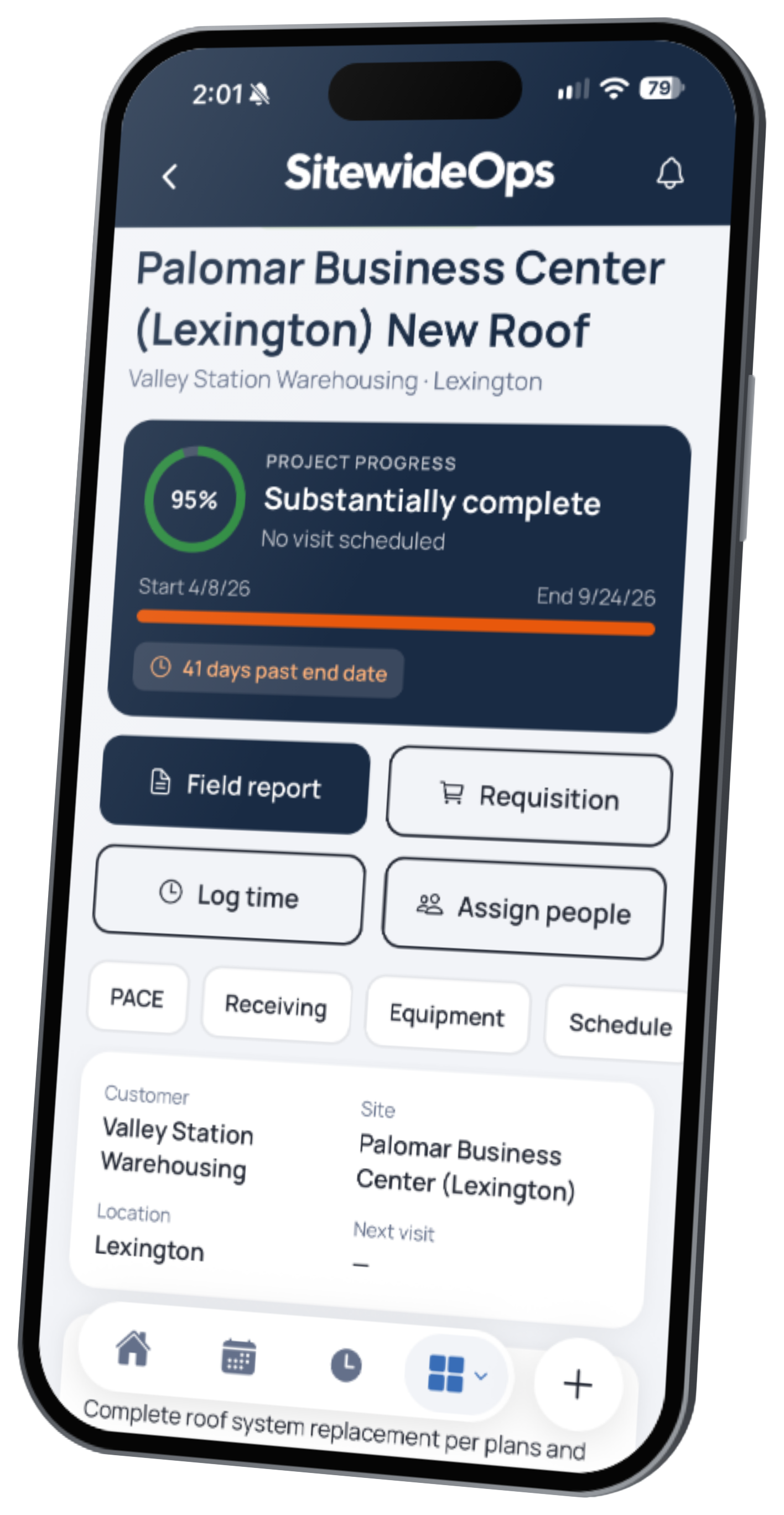 Live product · Not a mockup
Everything on this page is in the software today.
- Every feature live today
- Syncs with QuickBooks Online and Sage Intacct
- One price, no tiers
Nobody knows what we're waiting on.
RFIs get buried in email threads, submittals sit untouched in drive folders, and change orders get lost on a signed sheet in someone's truck. The schedule lives on a static spreadsheet that has no idea which crew is booked where. A job stalls for a week waiting on a GC answer, and the first time anyone notices is when your crew shows up to the site with nothing to install.
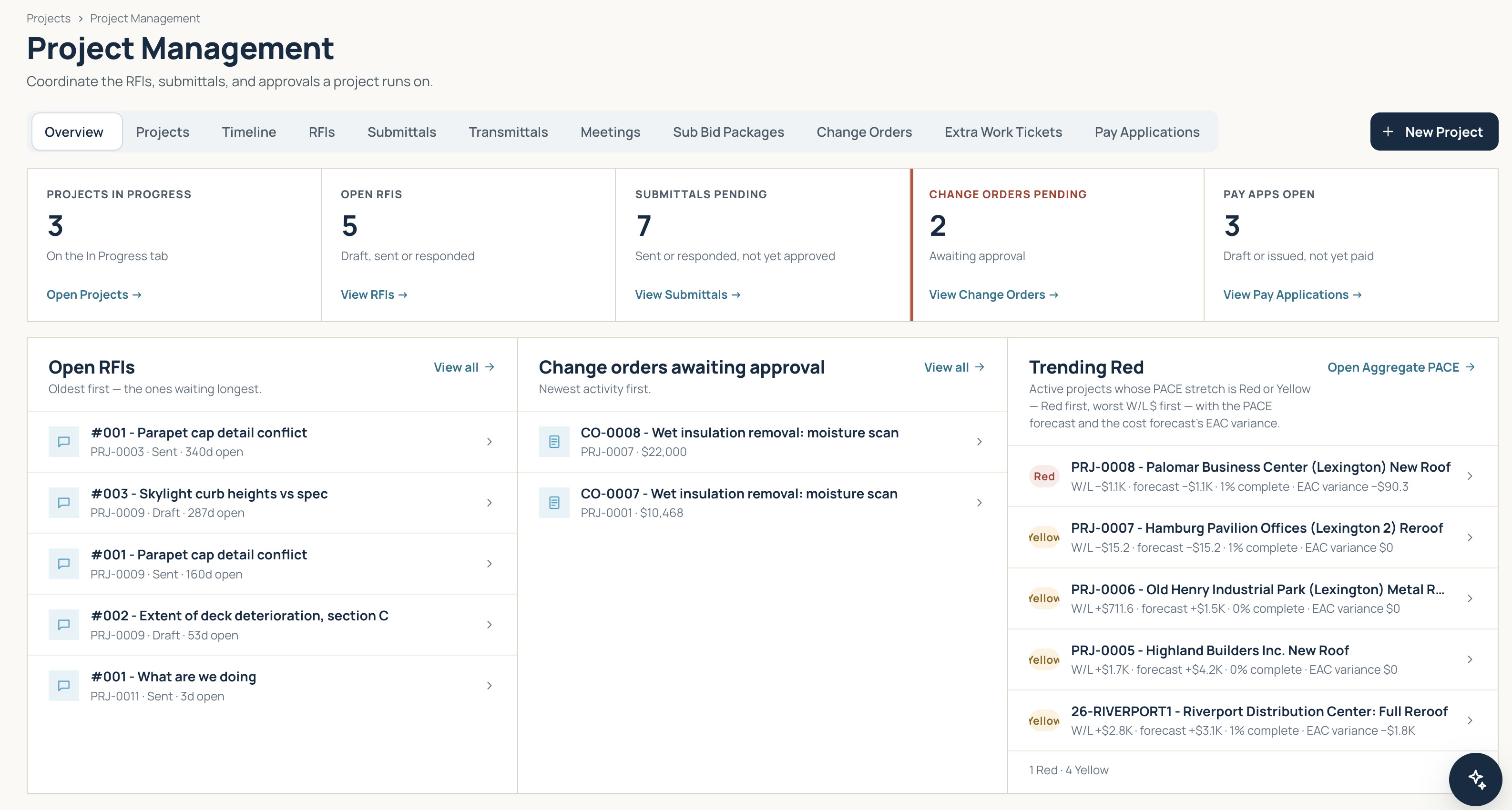
Every project, every open question, one place.
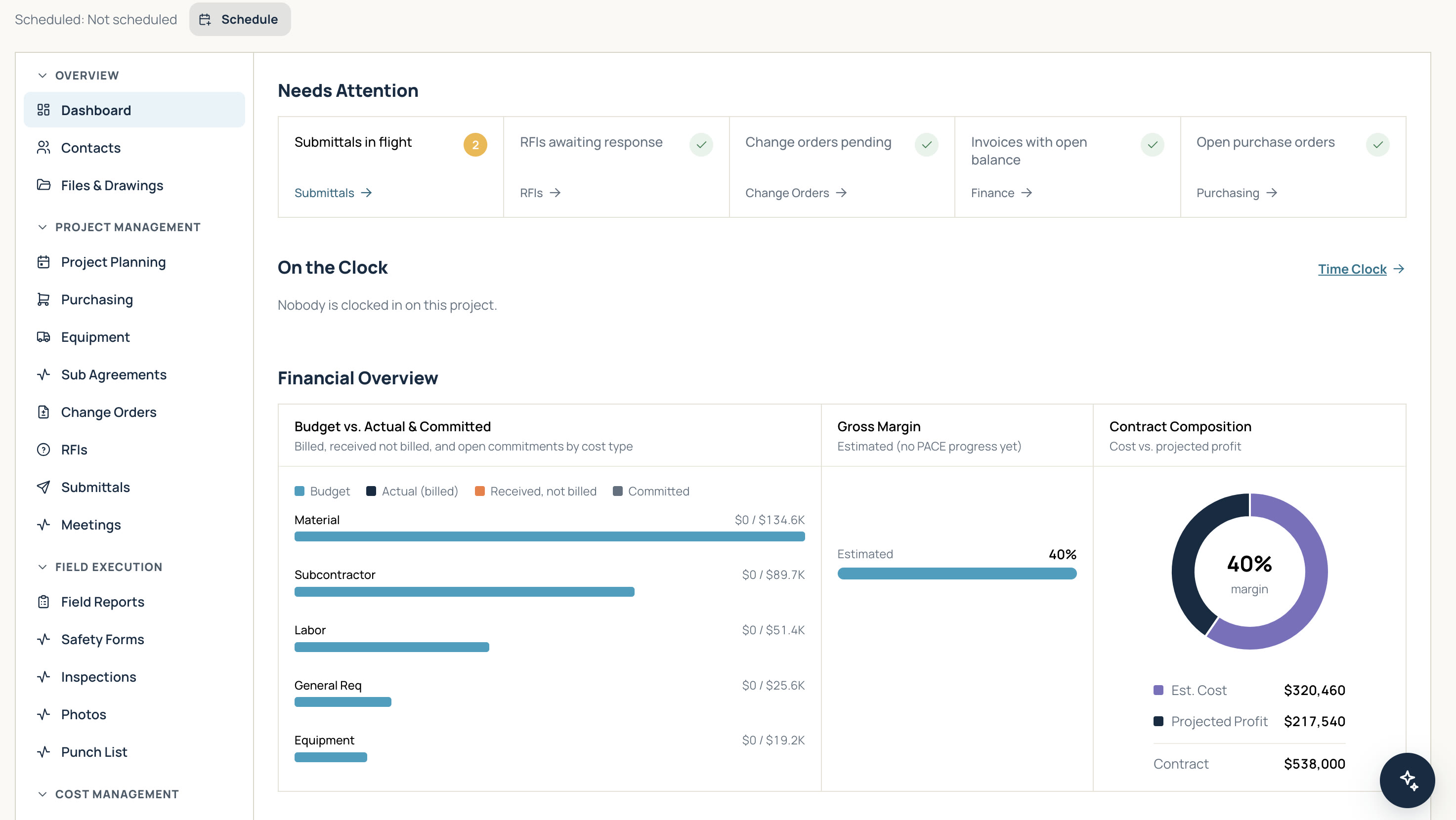
Every project on one timeline
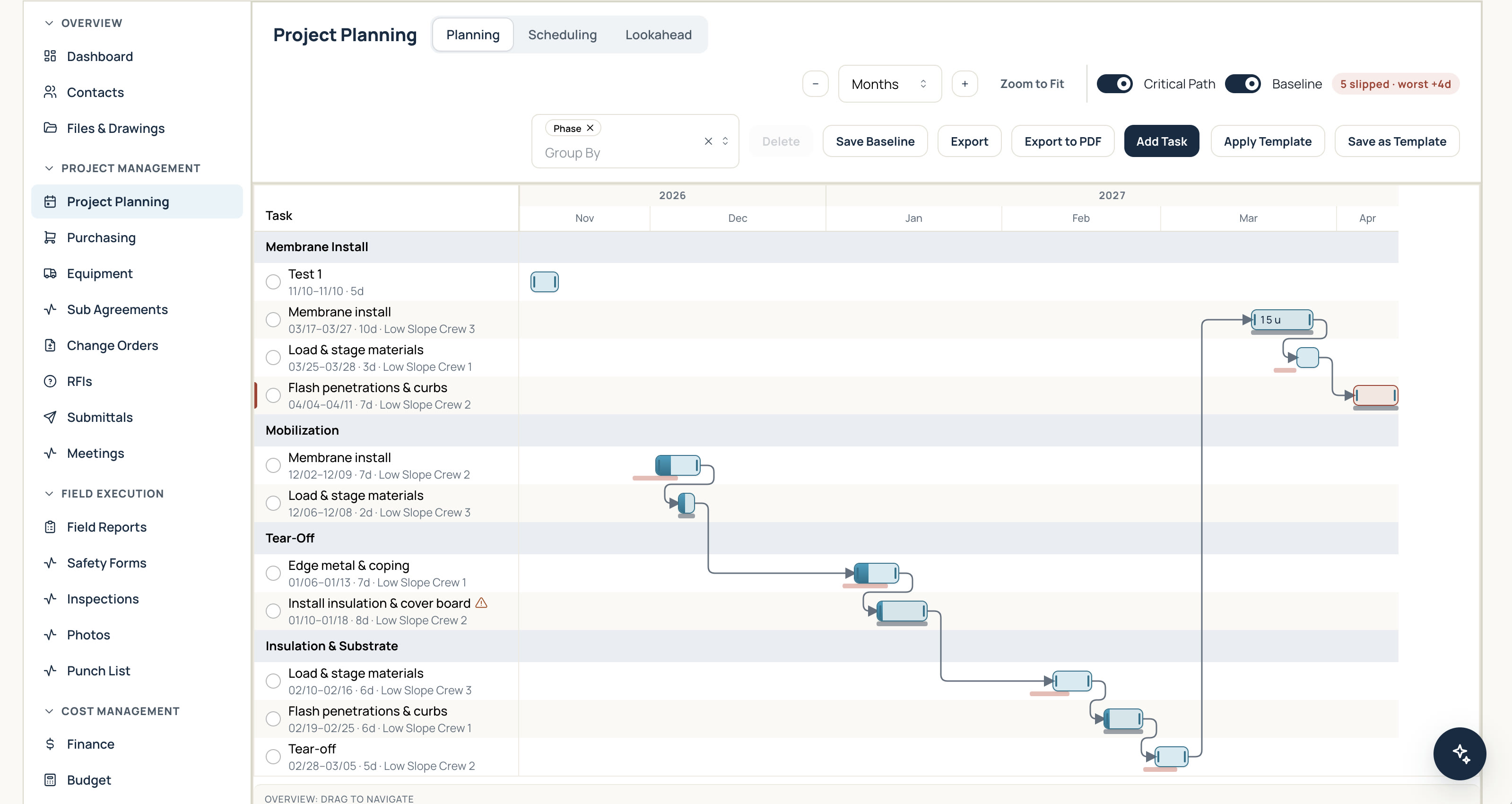
See all your active projects alongside their tasks, completion dates, and assigned crews. SitewideOps flags crew double-bookings automatically and highlights which jobs are running ahead or behind.
- Dynamic Gantt chart: link dependent tasks so your schedule updates automatically.
- Critical path: critical tasks turn red to show exactly which delays will push back your completion date.
- Baselines & lookaheads: save baselines to track schedule drift, print custom field lookaheads, or export clean schedules to PDF.
Keep every open question in plain sight
Draft RFIs, email them directly to the architect or GC, and log answers without leaving the project record. Package submittals with specs and track each item through approval.
- Keep change orders, meetings, transmittals, and pay applications tied to the same job.
- Clear tracking replaces messy email chains so your team knows the status of every RFI and submittal at a glance.
- Your dashboard surfaces overdue items and high-risk projects instantly so you know who to call today.
Drawings and photos anchored to the job record
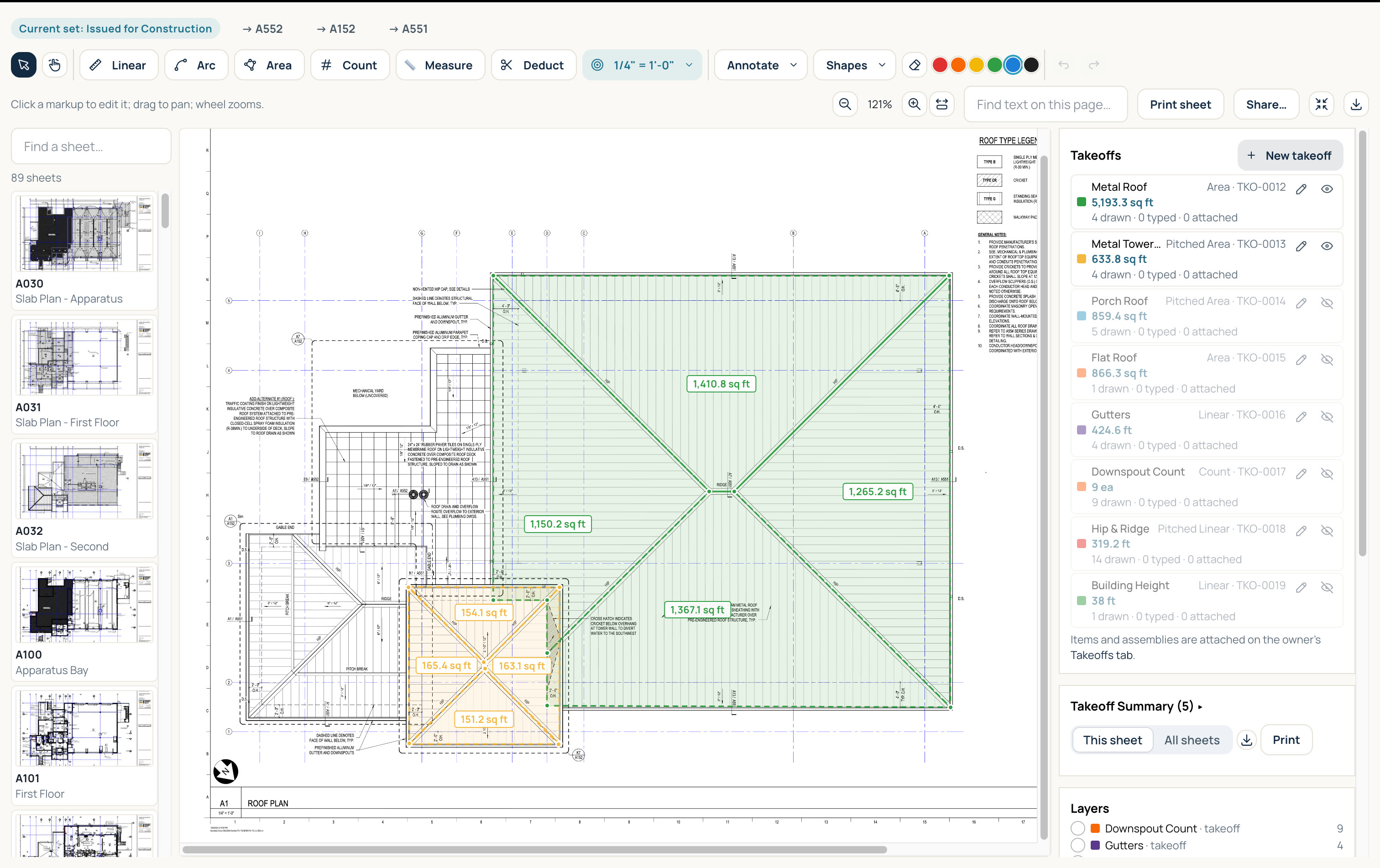
Maintain complete drawing set histories across bid, permit, and issued-for-construction revisions. Mark up sheets on the fly, take instant field measurements, and tag job photos by phase, progress, or site condition. Pin an RFI directly to the plan detail it references so field crews and office staff see the exact context immediately.
Close out cleanly without the scramble
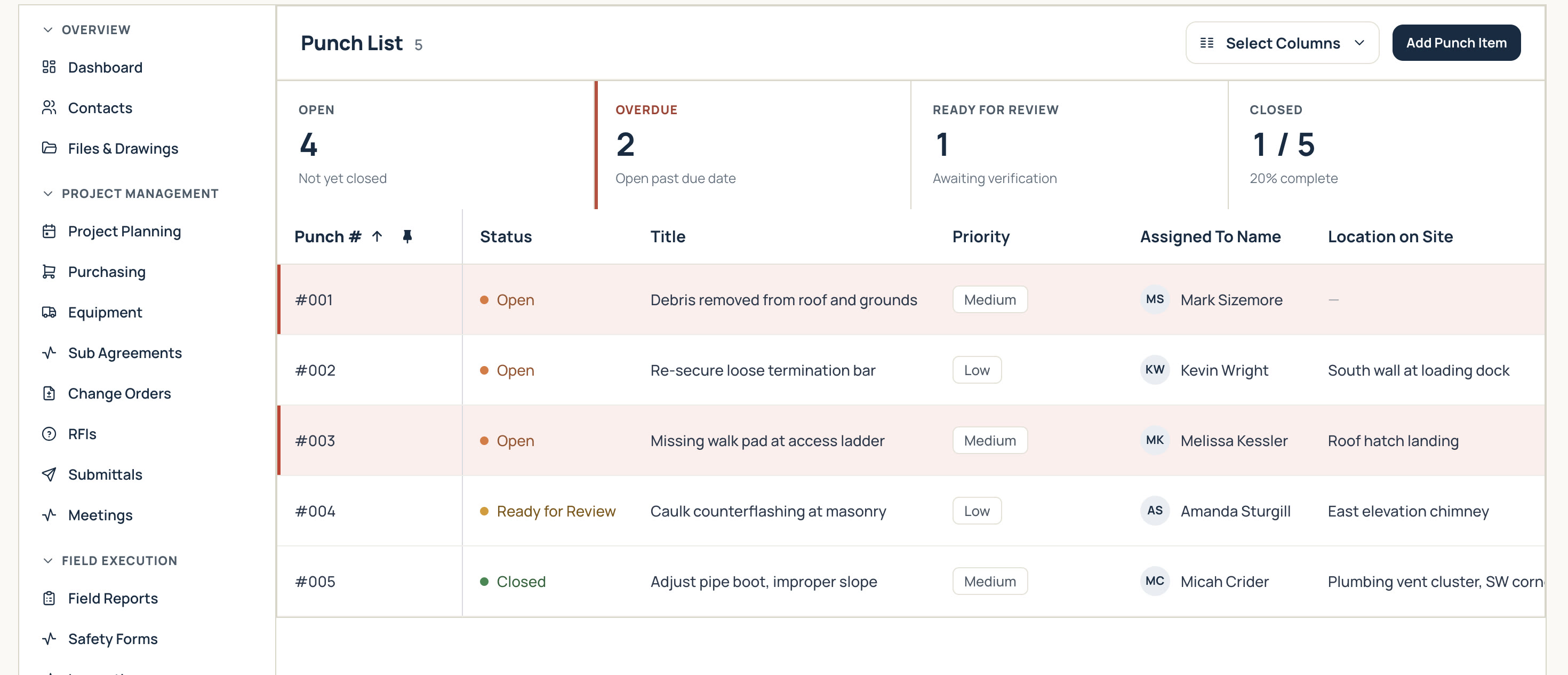
Execute site inspections using your own custom quality checklists to spot deficiency trends early. Failed checklist items generate immediate punch list items complete with photos, pin locations, assigned owners, and hard due dates. Built-in punch lists let your team complete closeouts fast and get retainage released without endless back-and-forth.
Part of one job record, not another app to check.
Simple pricing
See how project management works,
free for 21 days.
$90 per active user per month
Time-clock-only users are free
See pricing details →Questions about project management
Is this built for general contractors?
It is engineered specifically for specialty trade contractors who work under GCs and owners. That means focusing on the RFIs and submittals you originate, the change orders you need signed, and the field crews you actually have to deploy.
Can I start projects from a template?
Yes. Save your standard operational sequences as reusable templates to launch new projects in seconds.
Can my customer see project updates?
Yes, on your terms. You decide which reviewed field reports, site photos, and approved files appear in the customer portal. Internal costs and private notes remain completely hidden.
Does it have a Gantt chart?
Yes. Every project features an interactive Gantt chart with task dependencies and critical path tracking. Dependent task arrows show sequence logic, critical path tasks turn red when slipping, and baseline snapshots reveal schedule drift over time.
Can I print a lookahead schedule?
Yes. Generate two-, three-, or four-week field lookaheads that summarize upcoming phases, assigned crews, and target dates in a clean printable PDF.
Can I track change orders before they're approved?
Yes. Manage potential change orders from initial scope change through formal approval. Contract totals update only when change orders are officially approved.
Can I send RFIs and submittals from SitewideOps?
Yes. Email RFI documents and submittal packages directly from the project workspace. The system logs sent dates, response dates, and closed statuses automatically while letting you track GC reference numbers alongside your own.