Price it right and lock in the win.
Measure linear feet of casework and count doors and fixtures right on the plans, price them with your own assemblies and labor units, and send a quote the GC can approve and sign online.
Estimating →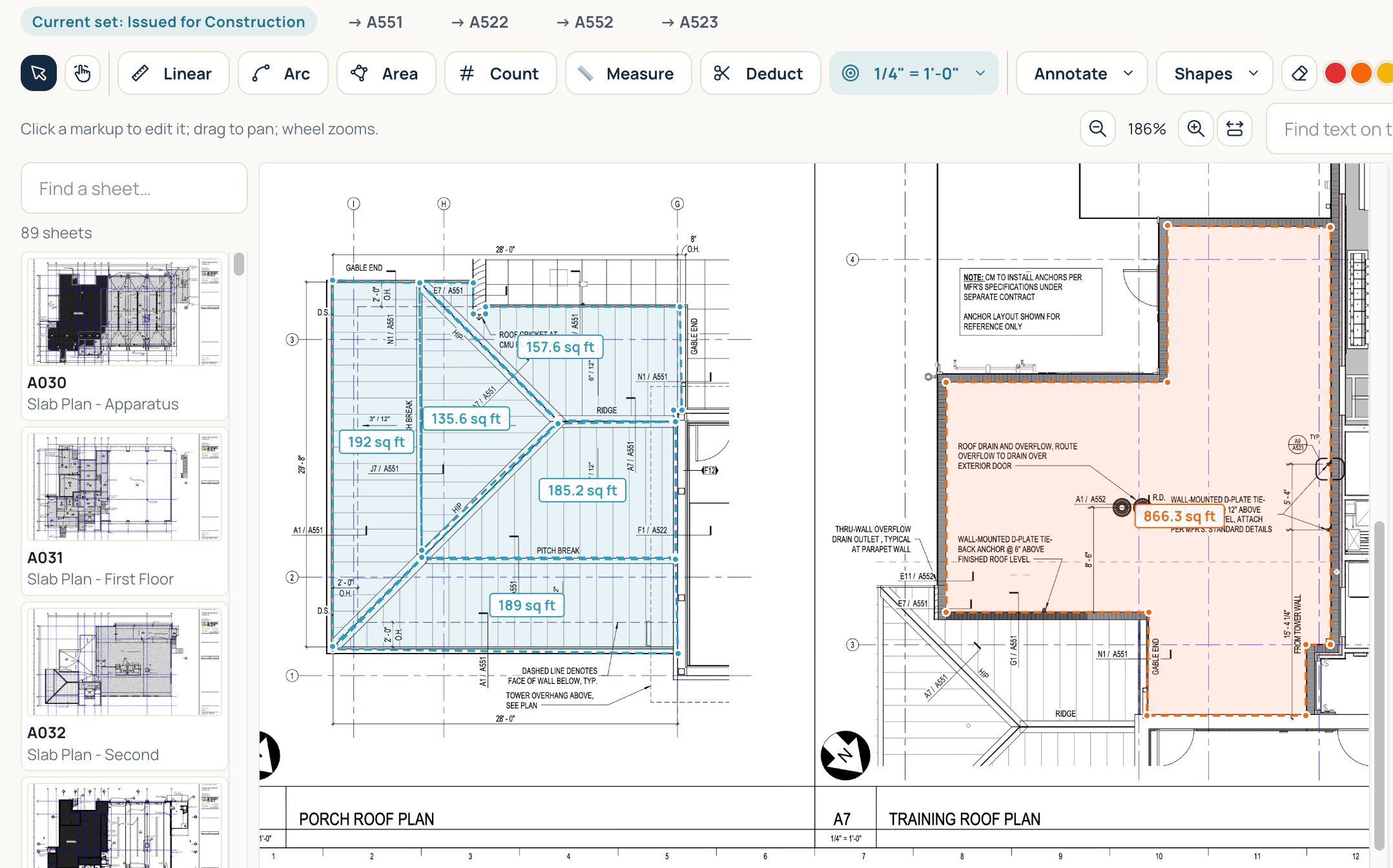
Get shop drawings approved faster, build casework in the order the site needs it, and get paid for it before it's installed. Your estimators, your shop, your install crews, and your office work from one job record and the same numbers.
21 days free. No credit card.
 Live product · Not a mockup
Everything on this page is in the software today.
We built it to the drawings. Then the drawings changed.
Millwork is built weeks before it's installed, and the shop can't start until the drawings are approved. Approvals run late, dimensions change, and the schedule still expects you to show up on time. As one of the last trades in, you get squeezed. Build too early and finished casework crowds the shop floor and gets damaged. Build too late and an expensive install crew stands around waiting. Either way, money is tied up before a single cabinet is on the wall, and the extra scope from all those changes too often goes unbilled.
Every stage works from the same job record. Select any stage to see how it works.
Measure linear feet of casework and count doors and fixtures right on the plans, price them with your own assemblies and labor units, and send a quote the GC can approve and sign online.
Estimating →The winning estimate becomes the job budget, and shop drawings, RFIs, and drawings live on the same record, with every submittal showing how many days it's been waiting on the reviewer.
Project management →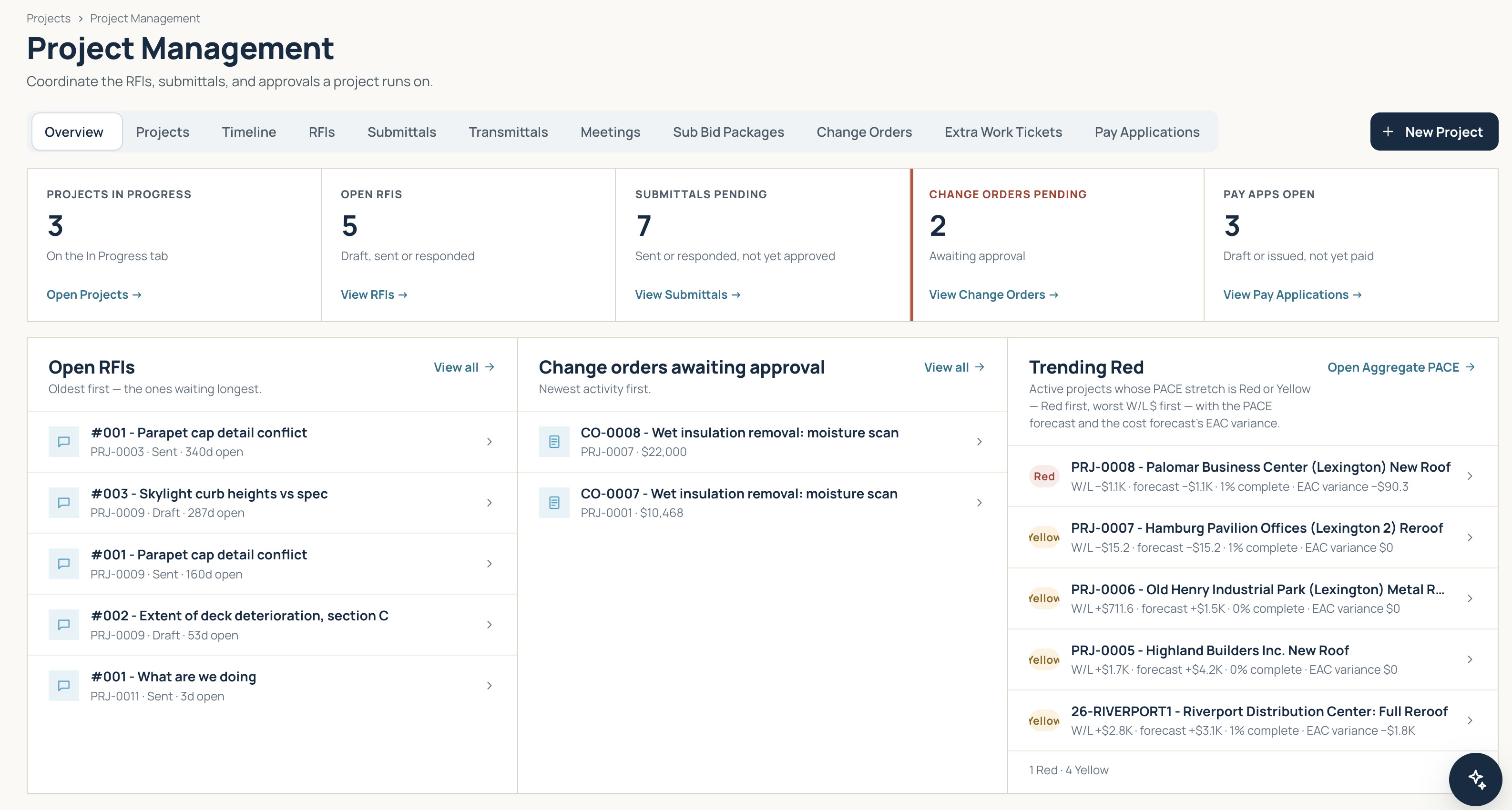
Turn the job's bill of materials into purchase orders, and sheet goods, hardware, and veneers show in committed cost the day they're ordered.
Purchasing & inventory →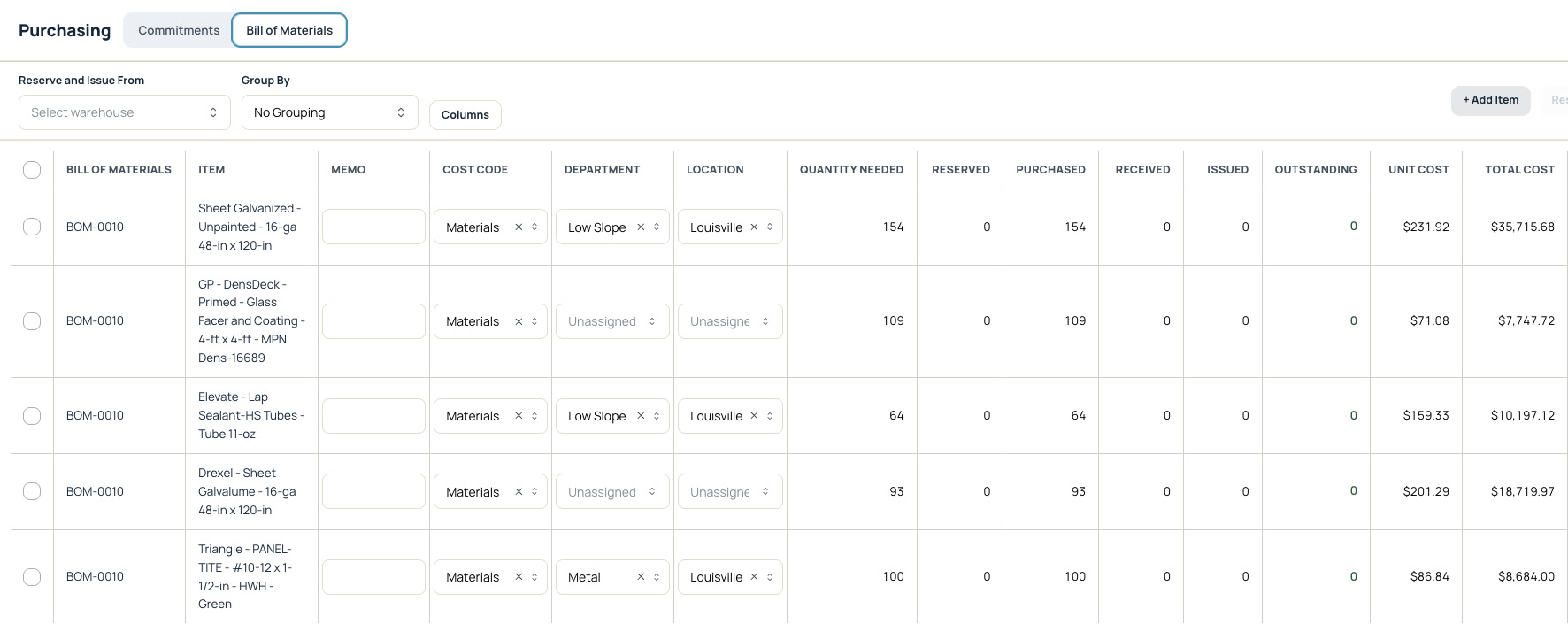
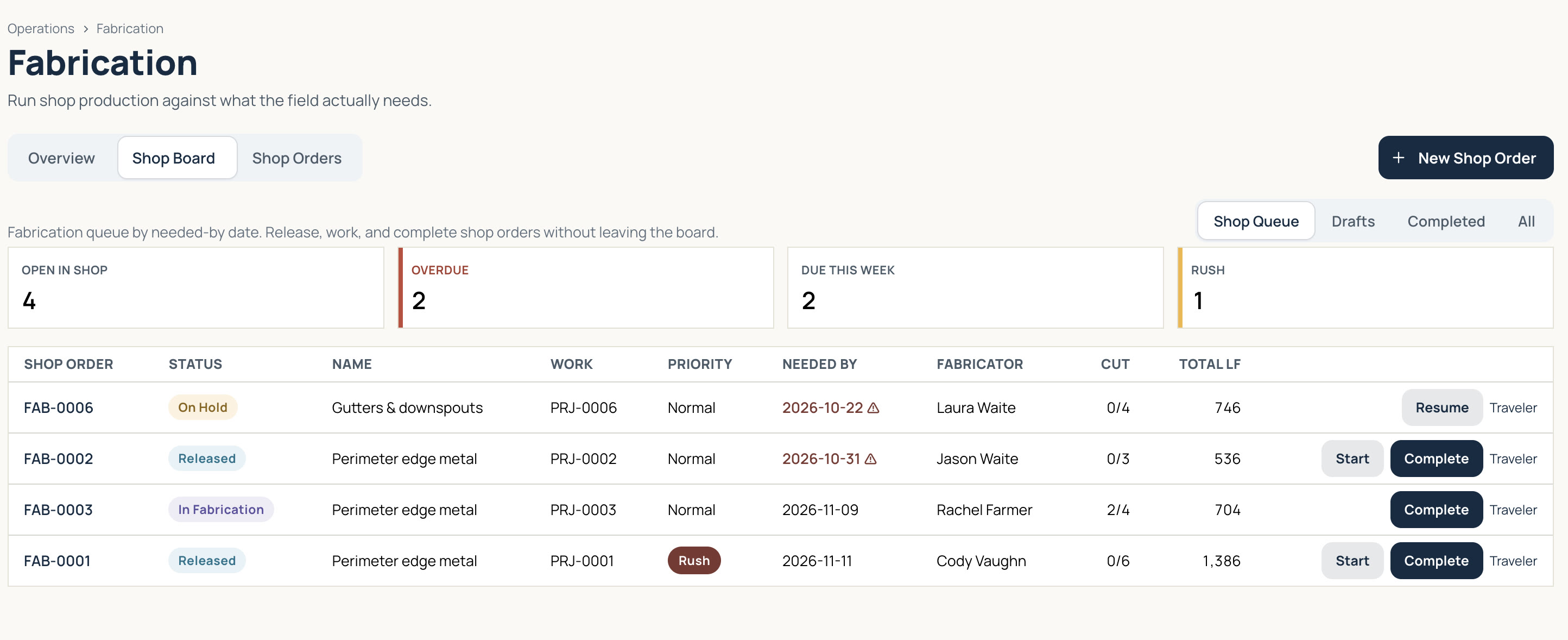
Shop orders line up by each job's install dates and flag what's rushed or overdue, so casework isn't crowding the floor or leaving crews waiting.
Purchasing & inventory →Plan finish carpenters on a schedule that shows the critical path and what's slipped against your baseline, so you see a squeeze coming before it lands on your crew.
Crew scheduling →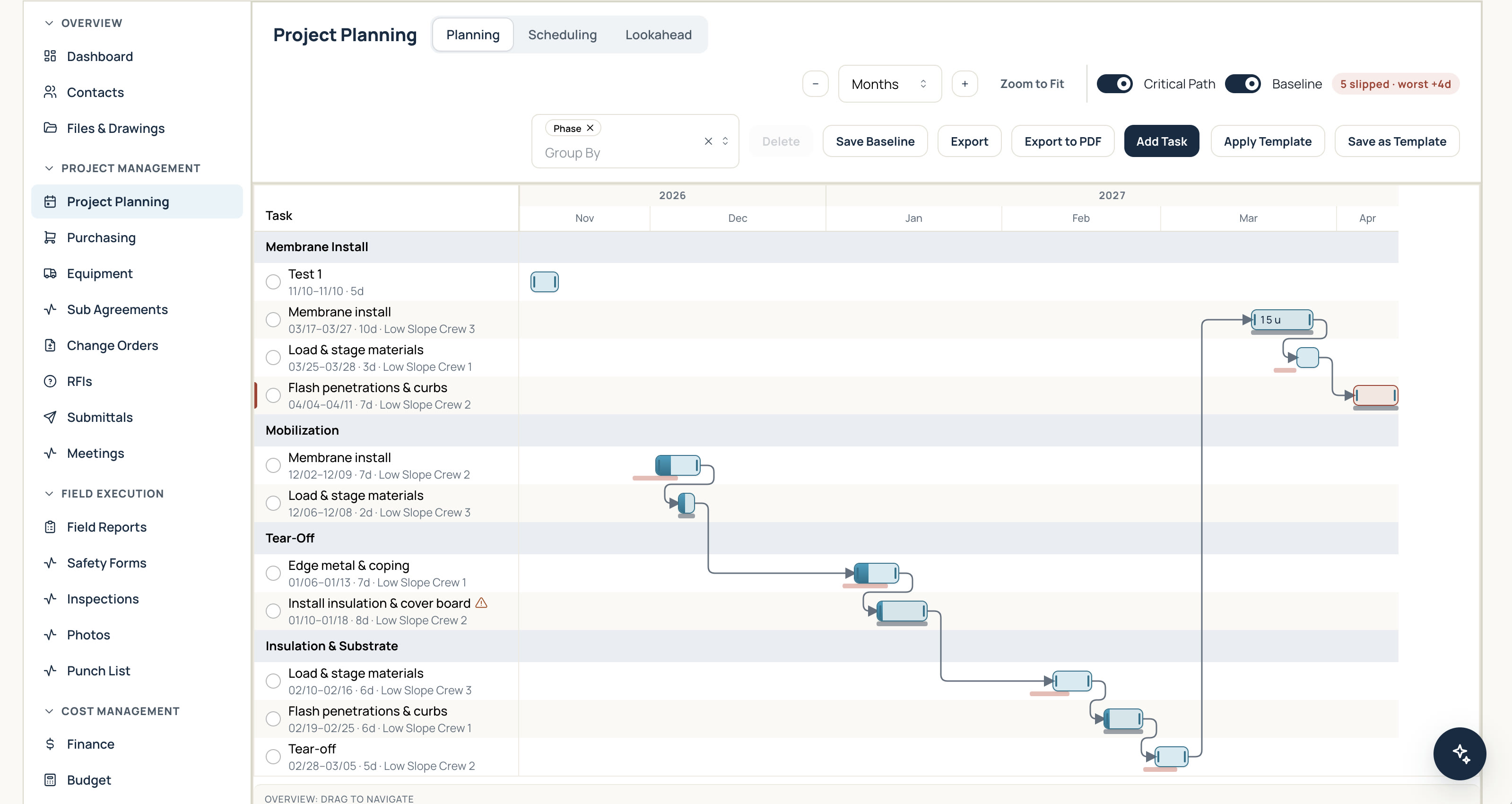
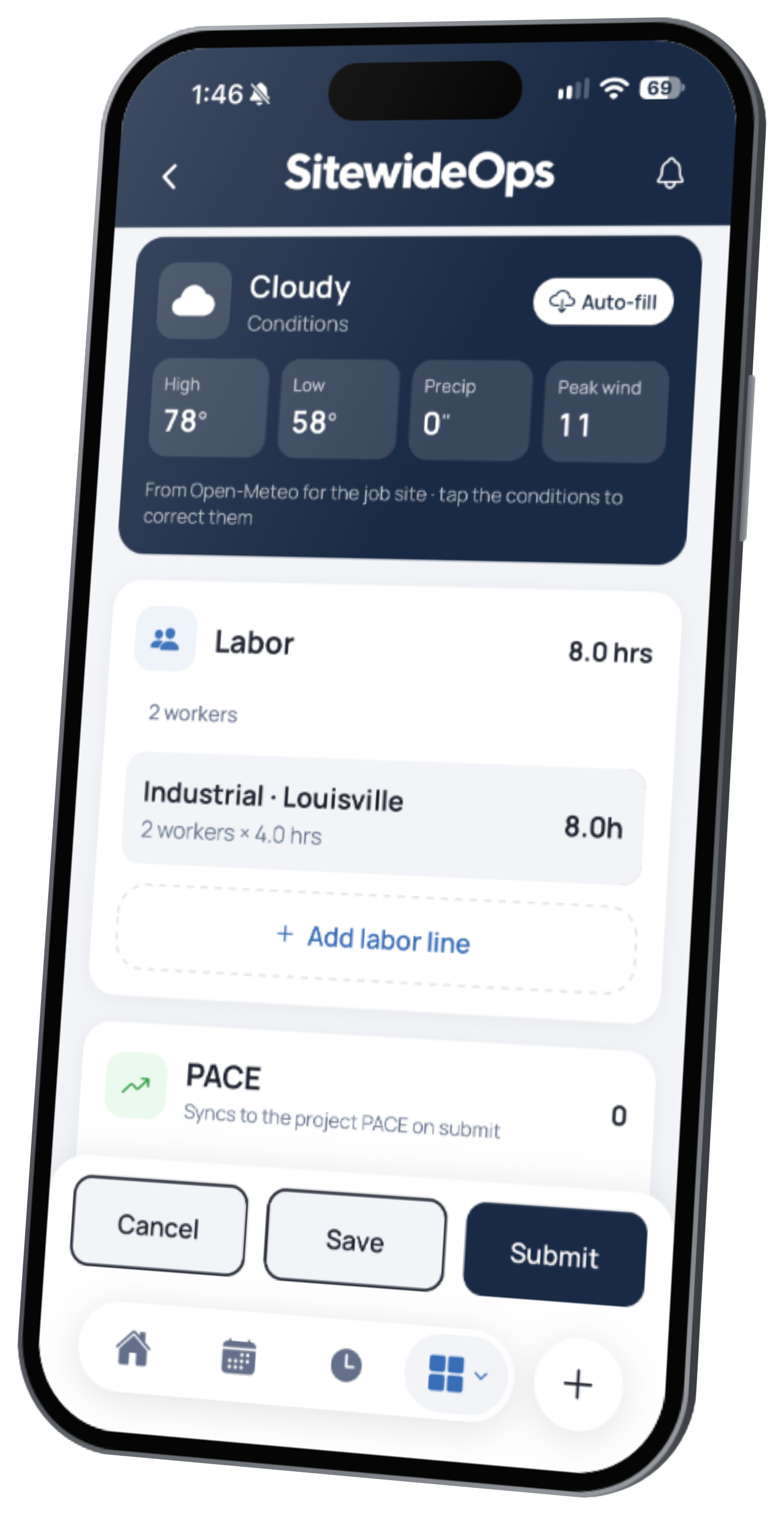
Field reports log the linear feet and units installed each day, and PACE compares them with the estimate.
Labor productivity →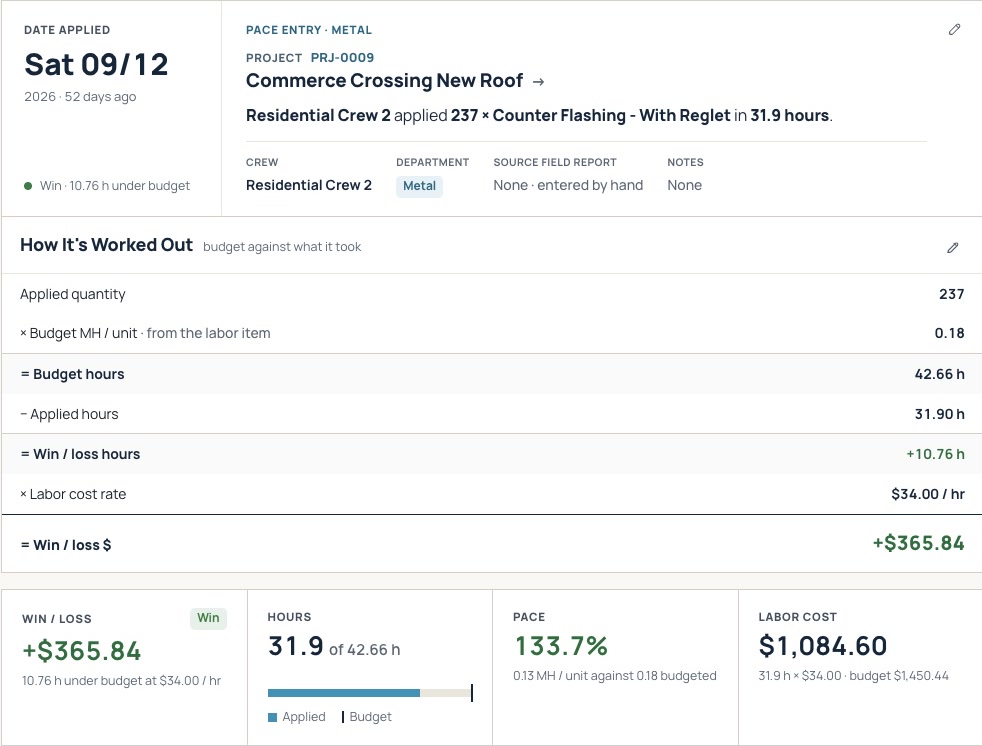
Bill finished casework as stored material, and log extra scope as a potential change order before it's built, so revisions turn into billed work.
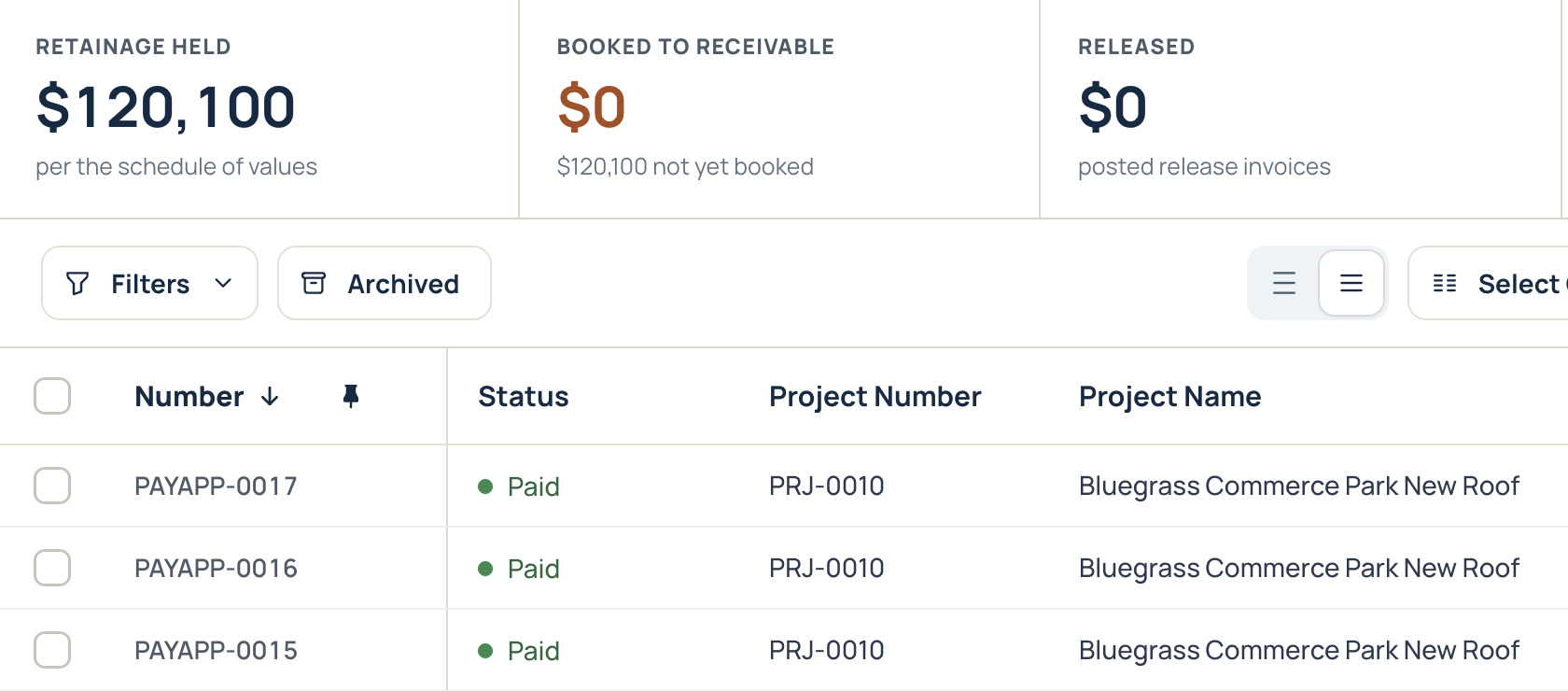
A closeout inspection turns every failed item into a punch item your crew clears from their phones, then bill the retainage release.
Project management →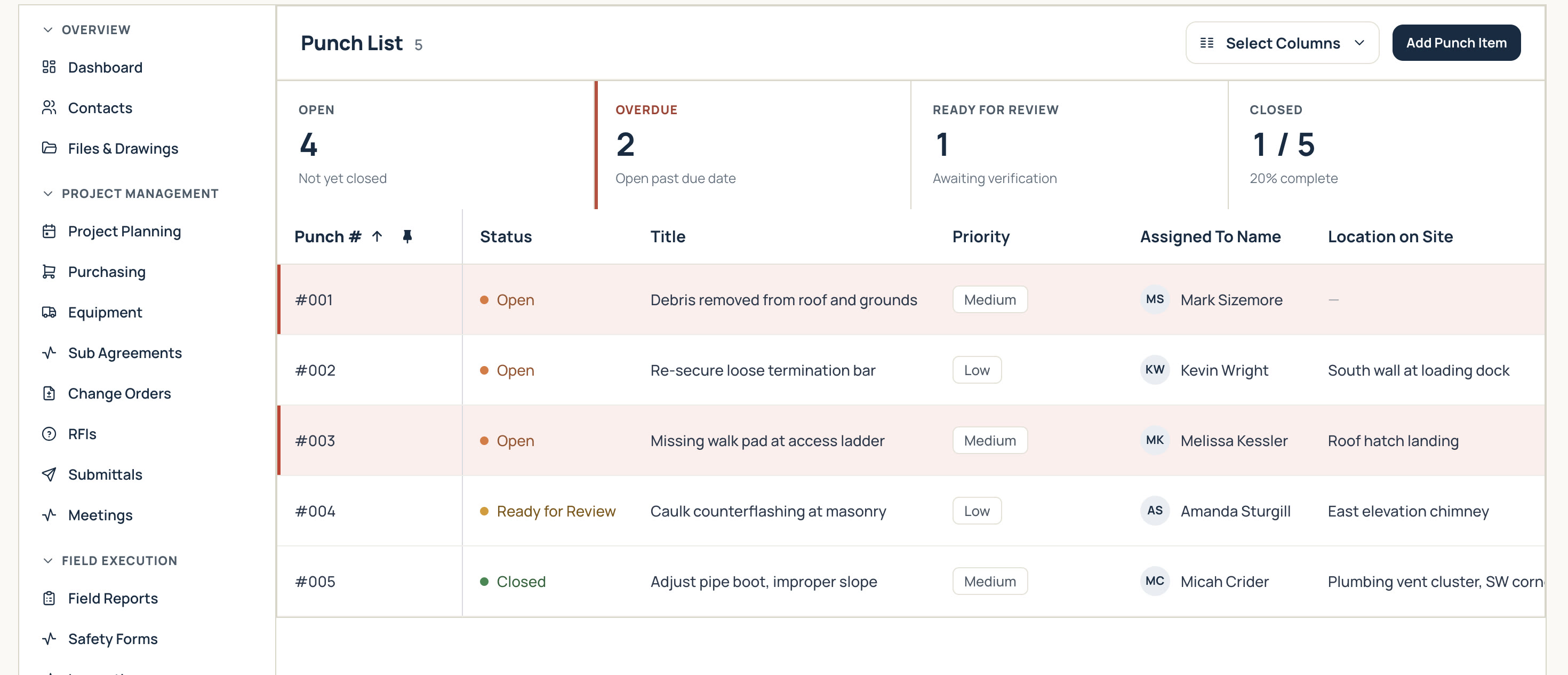
Your shop, building to the field
The shop board shows what's due, what's rushed, and what's late, with cut lists and printable job travelers for the floor, and shop workers clock their hours to the job just like field crews, so you know what each job really costs to build, shop labor and material included.
Purchasing & inventory →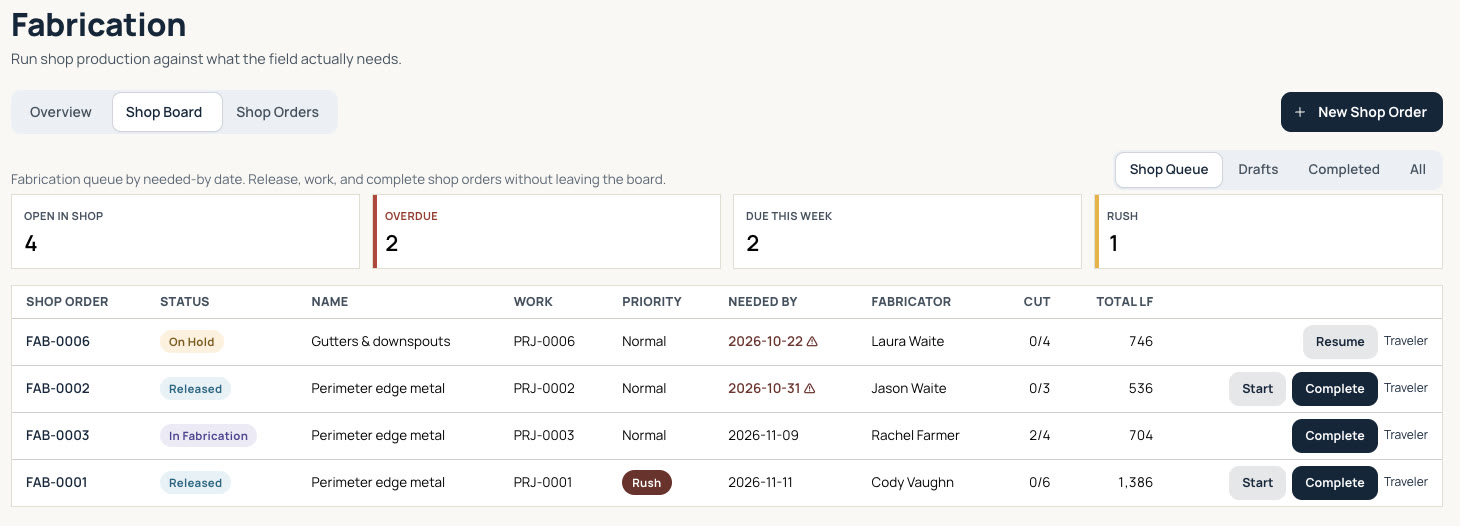
Simple pricing
$90 per active user per month
Time-clock-only users are free
See pricing details →
“I ran operations at a commercial contractor and kept waiting for software that could keep up with the job: scheduling multiple crews easily, tracking and scheduling around weather events, leading performance indicators from the field before it hits the P&L, purchasing and inventory tracking, WIP and retainage, certified payroll and pay apps. It never showed up. So I built it.”
Garrett Henke · Founder, SitewideOps · former COO of a multi-branch specialty commercial contractor
Read Garrett's story →Yes. The pay app carries stored materials in its own column, so finished casework gets billed when it's ready, not weeks later at install. Retainage is figured on the total.
Log the extra scope as a potential change order right away, so the cost is on record before it's built. Once it's approved, it lands on the next pay app.
Yes. Upload your own labor units, measures, and cost codes, so bids and PACE run on the numbers your estimators already trust.
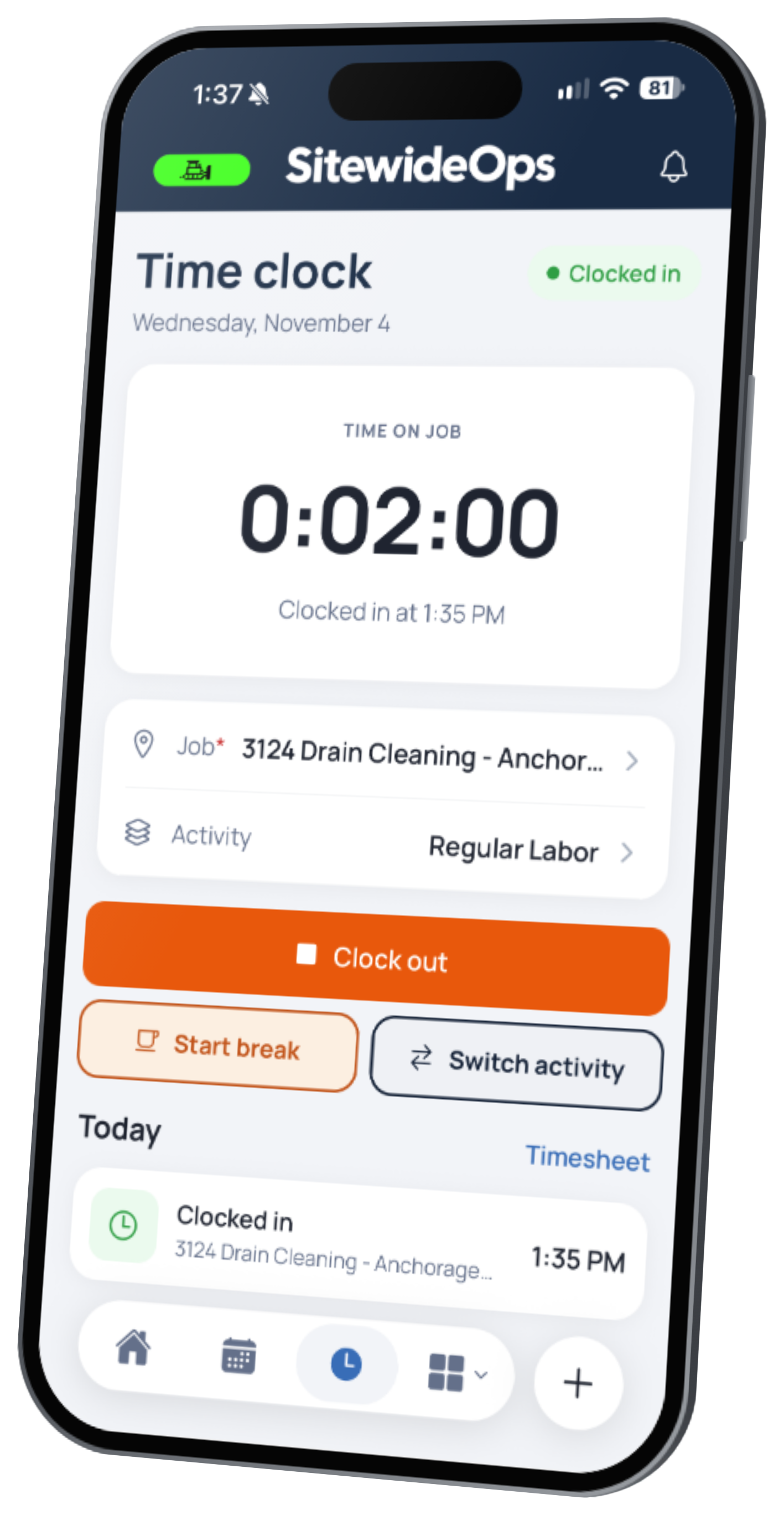
Yes. Shop workers clock their hours to the job the same way field crews do, and material pulled from your warehouse is added to the job at average cost, so each job's cost includes the shop.
Yes. SitewideOps syncs with QuickBooks Online and Sage Intacct, and your accounting system stays your system of record.
$90 per active user per month, with a 5 active user minimum ($450 a month). Crew members who only clock in and out are free. Every feature is included.