Jobsite safety and OSHA compliance built directly into the workflow.
Track certifications before they lapse, capture digital toolbox talks and JHAs in the field, and maintain real-time safety metrics. Keep your crews safe, your jobsites compliant, and your OSHA reporting audit-ready, all on a single platform.
21 days free. No credit card.
 Live product · Not a mockup
Everything on this page is in the software today.
- Every feature live today
- Syncs with QuickBooks Online and Sage Intacct
- One price, no tiers
The safety manager found out three weeks after the audit.
Certifications expire without anyone noticing, toolbox talk sign-in sheets get lost in a truck, and near-misses go unrecorded. When OSHA or a general contractor demands safety logs, TRIR rates, or incident histories, finding records turns into a frantic scavenger hunt through file cabinets and spreadsheets, exposing your business to costly fines and lost bids.
Proactive safety management, from the field to the front office.
Real-time safety metrics and automatic OSHA 300 logs
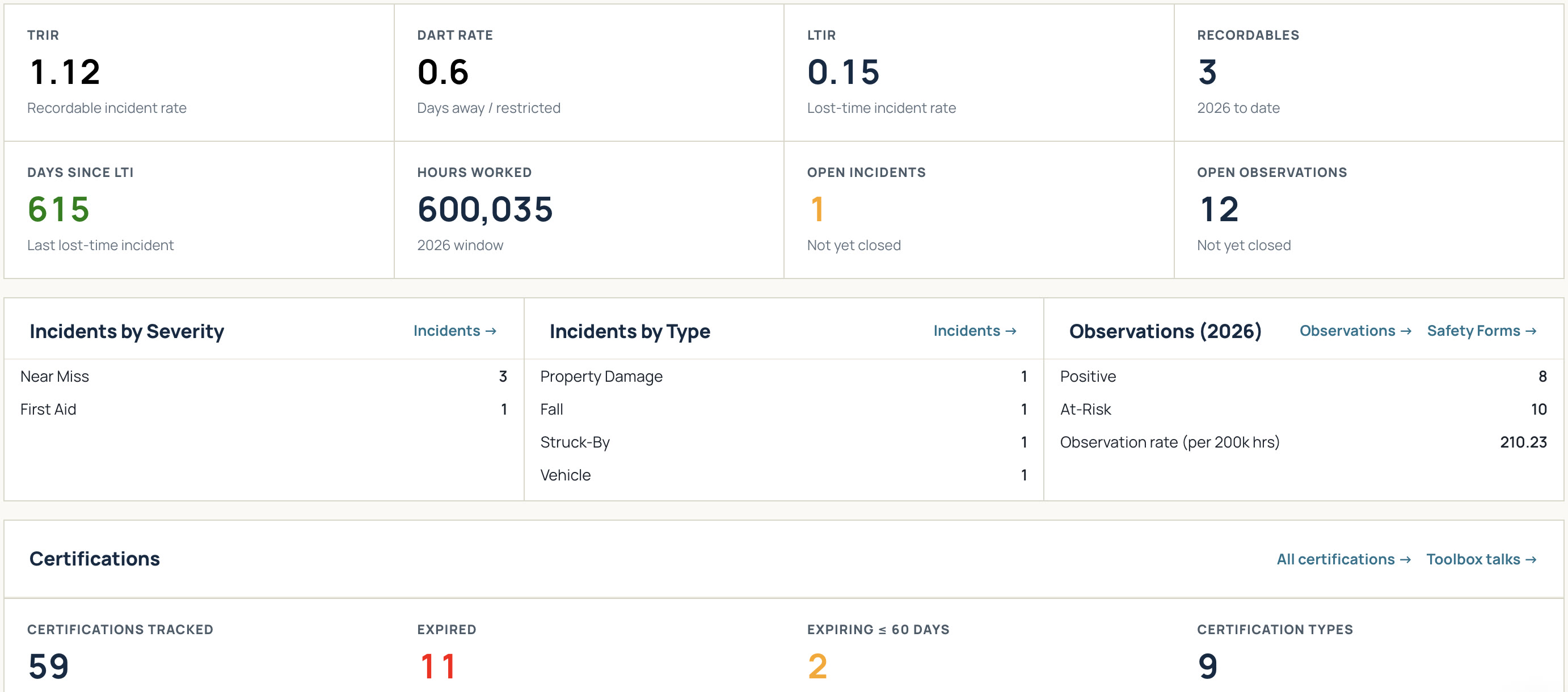
Eliminate year-end reporting stress. SitewideOps calculates your TRIR, DART, and LTIR rates from the incidents you mark OSHA recordable and your crews' time entries, so they're up to date whenever you open them. Instantly generate clean, printable OSHA Form 300 logs and 300A summaries whenever an auditor or owner asks.
Complete certification tracking before credentials lapse
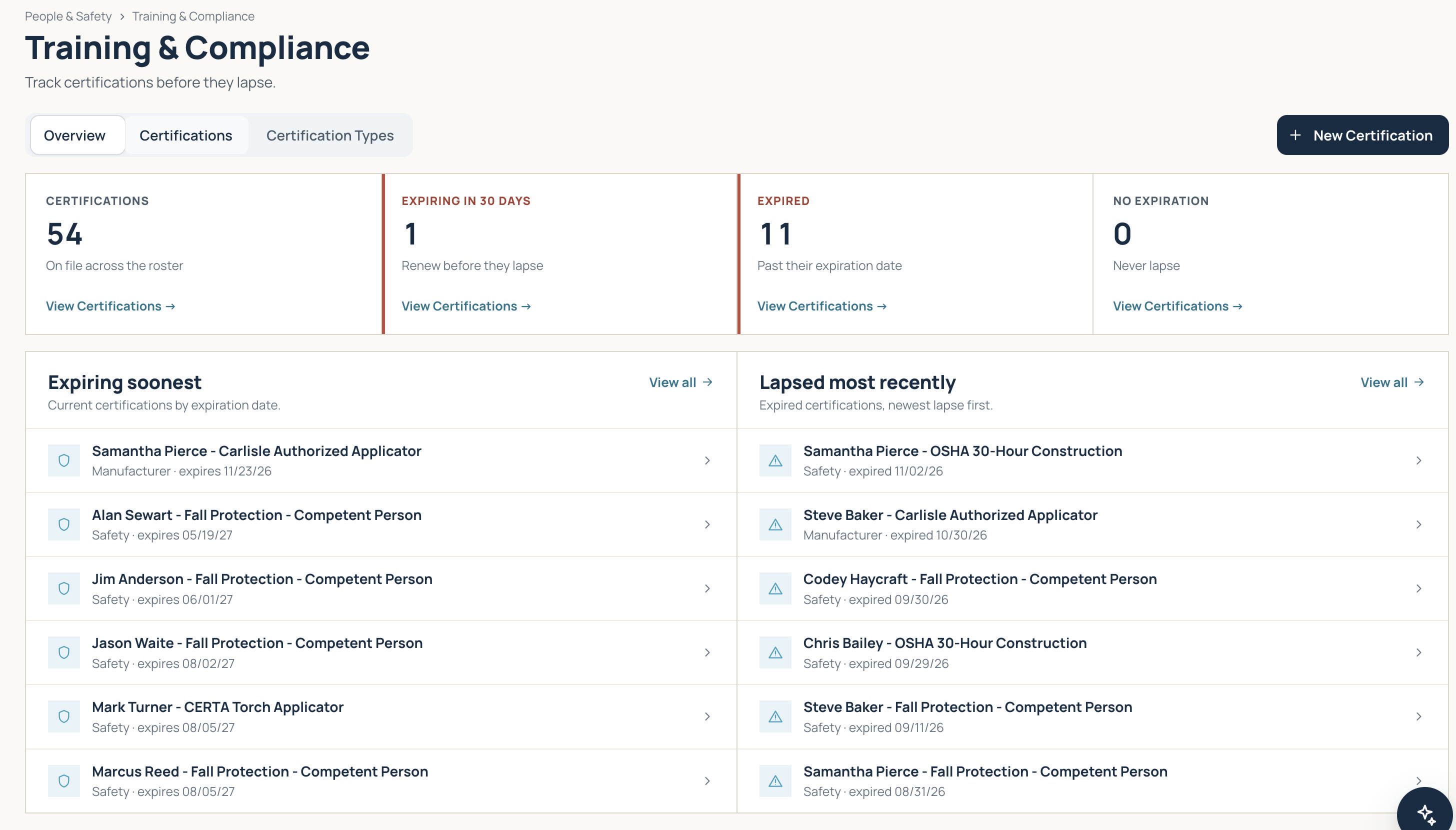
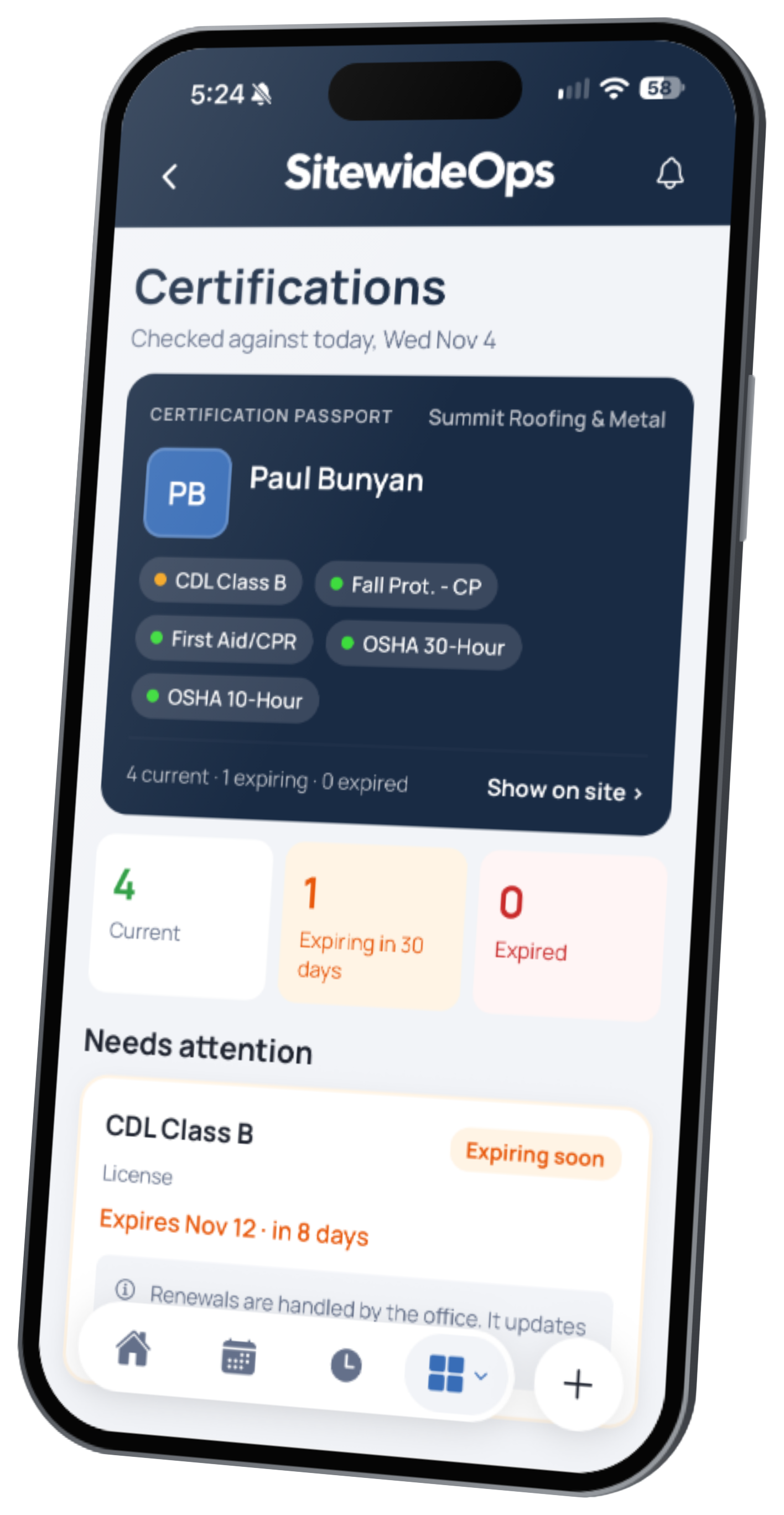
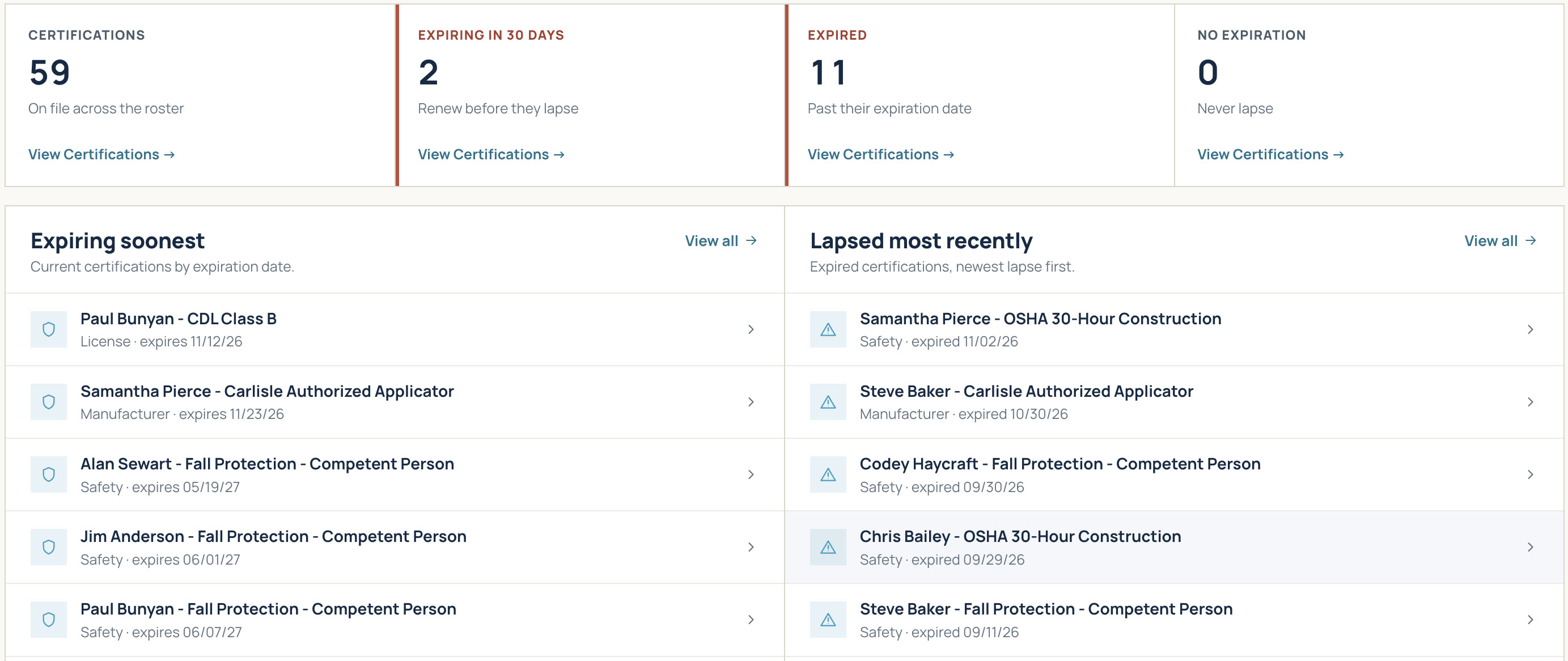
Know who's certified before they head to the job. Track trade licenses, equipment operator badges, and safety certifications across your entire team in one central view. The overview shows what expires in the next 30 and 60 days, giving you time to schedule recertifications before work is delayed.
Simple mobile toolbox talks and digital site sign-ins
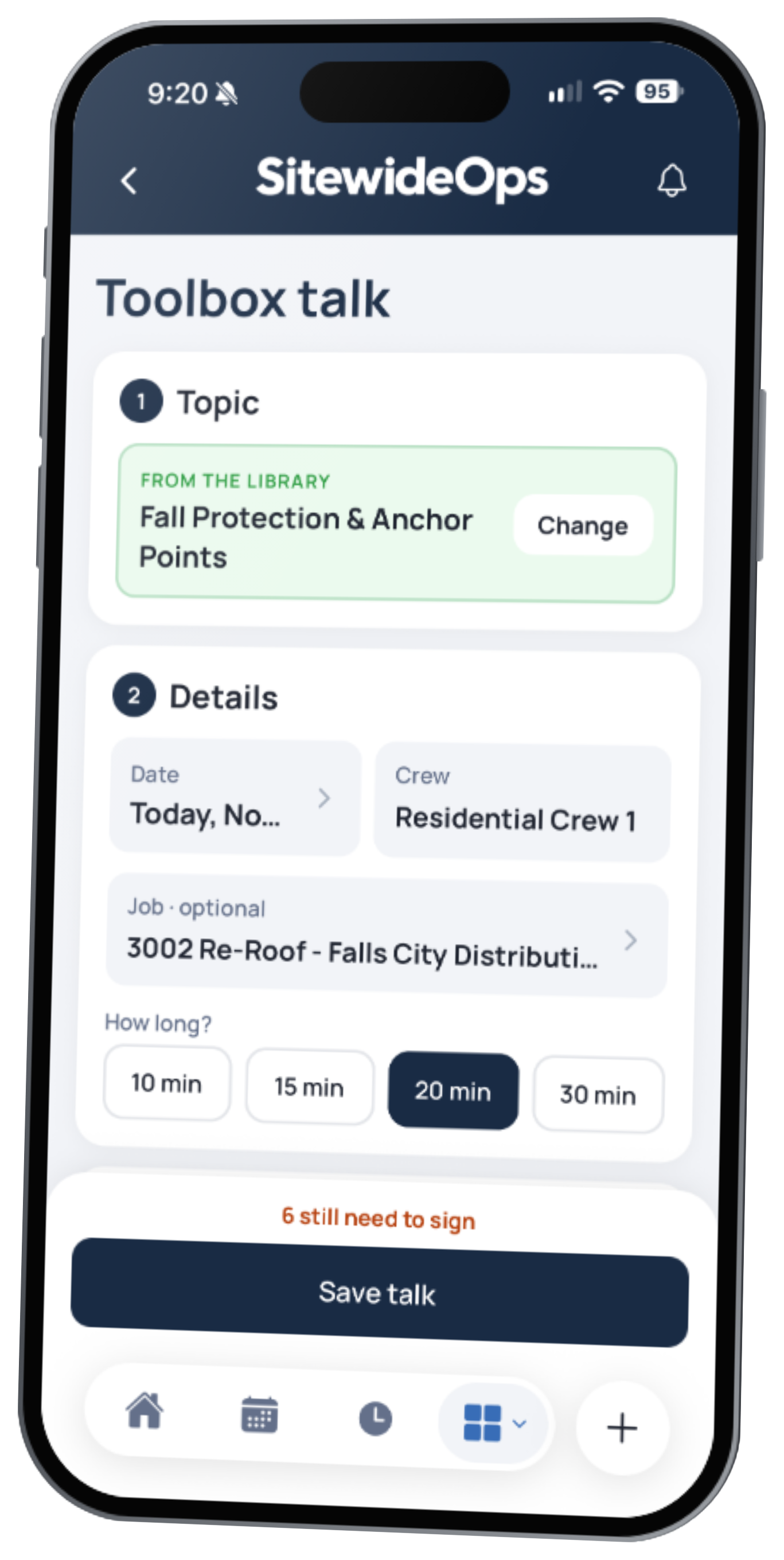
Run required safety meetings and site access directly from the field app. Field leaders select topics from your custom library, review key talking points, and capture crew signatures in the app.
Log safety observations, near-misses, and field JHAs
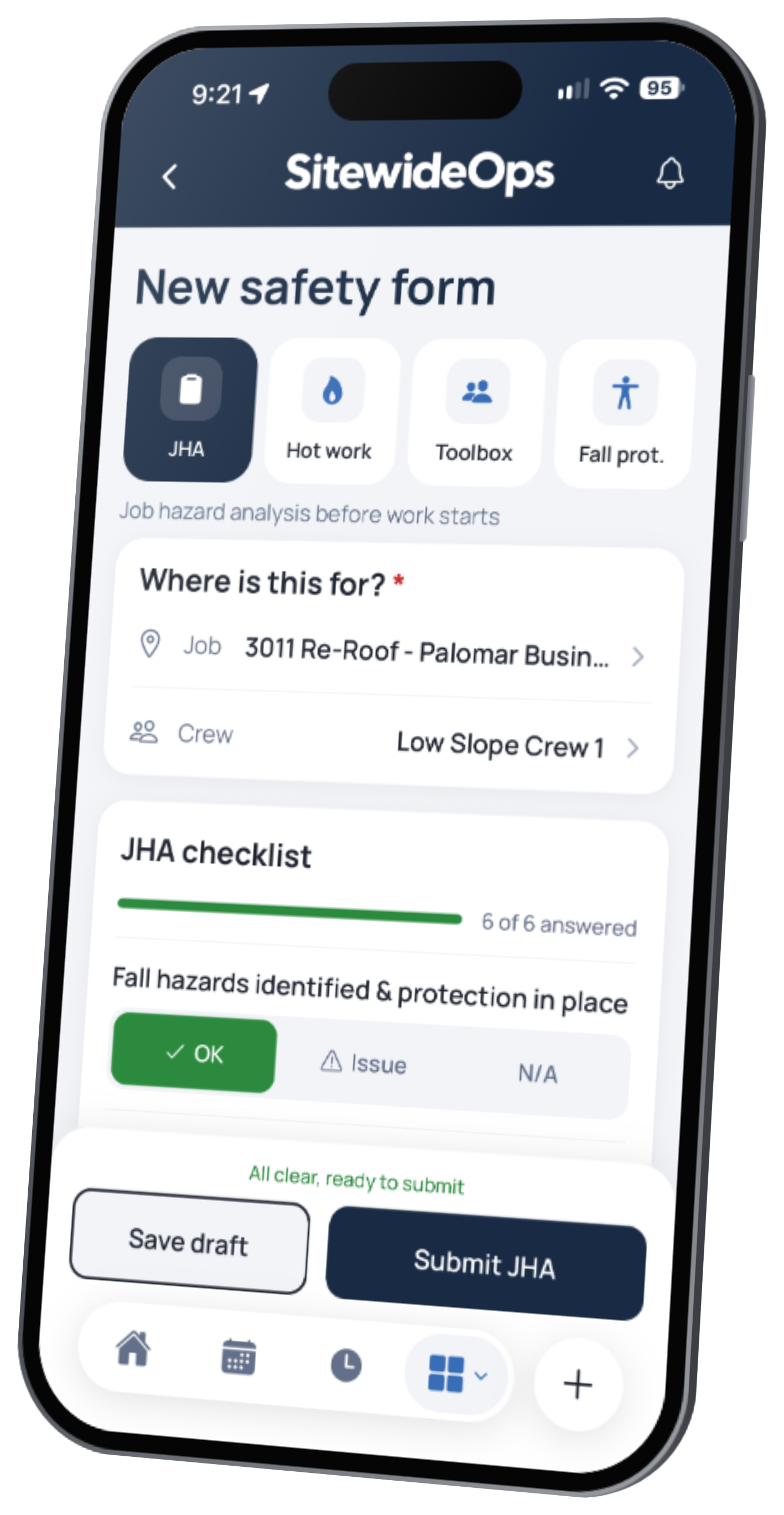
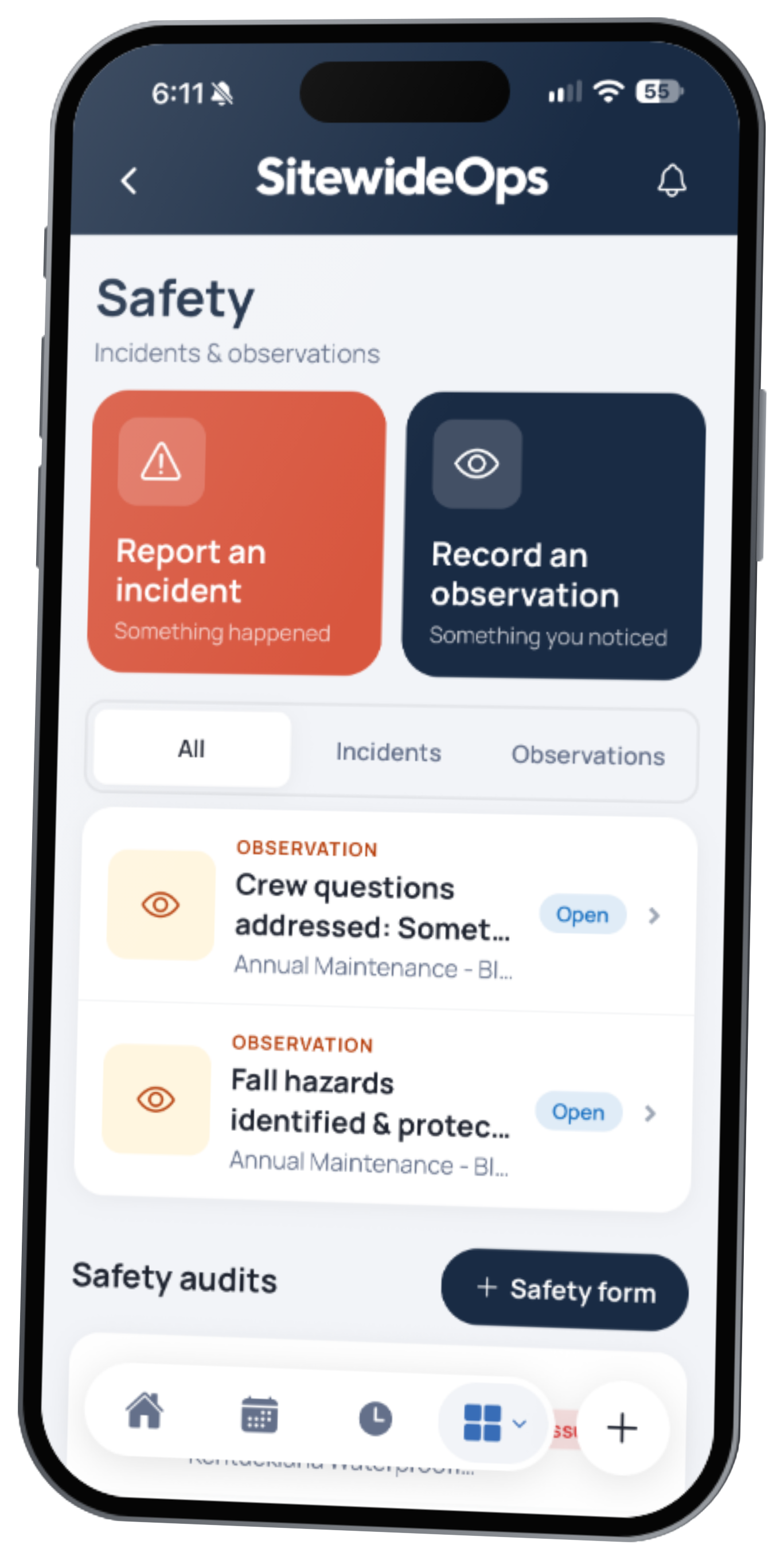
Build a proactive safety culture. Field teams can complete digital Job Hazard Analyses (JHAs) before starting work, log positive or at-risk safety observations, and report incidents or near-misses immediately. Assign corrective actions on the spot to resolve hazards before they lead to injuries.
Part of one job record, not another binder to keep.
Simple pricing
See how safety and compliance work,
free for 21 days.
$90 per active user per month
Time-clock-only users are free
See pricing details →Questions about safety and compliance
How are TRIR and DART calculated?
The standard OSHA way: recordable cases × 200,000 ÷ hours worked. SitewideOps counts the incidents you mark OSHA recordable and the hours from your crews' time entries for the year.
Can I export official OSHA 300 and 300A forms?
Yes. The system populates official OSHA Form 300 logs and Form 300A annual summaries directly from logged recordable incidents, ready to print or save as PDF.
How far ahead can I see expiring certifications?
The dashboard flags credentials expiring within 30 and 60 days so managers can arrange recertification before badges lapse.
What happens when a subcontractor's insurance expires?
It's flagged on the vendor, the subcontract, and their bills. For documents you mark as required, SitewideOps won't let you approve a new subcontract or post that sub's progress bill until a current copy is on file and verified.
Can crews fill out safety forms offline?
Yes. Field teams can fill out JHAs, hot work permits, and other safety forms with no signal, and everything syncs when the connection comes back.
Can I build my own safety forms?
Safety forms come in four ready-made types: JHA, hot work permit, toolbox talk, and fall protection inspection. You add your own checklist items to each form, and the Field app starts you off with common items for the type you pick. For checklists you use again and again, build your own inspection templates with whatever items you need.